How 3D rendering benefits furniture manufacturers
From the first launch to the next collection: a practical guide to building a reusable visual library.
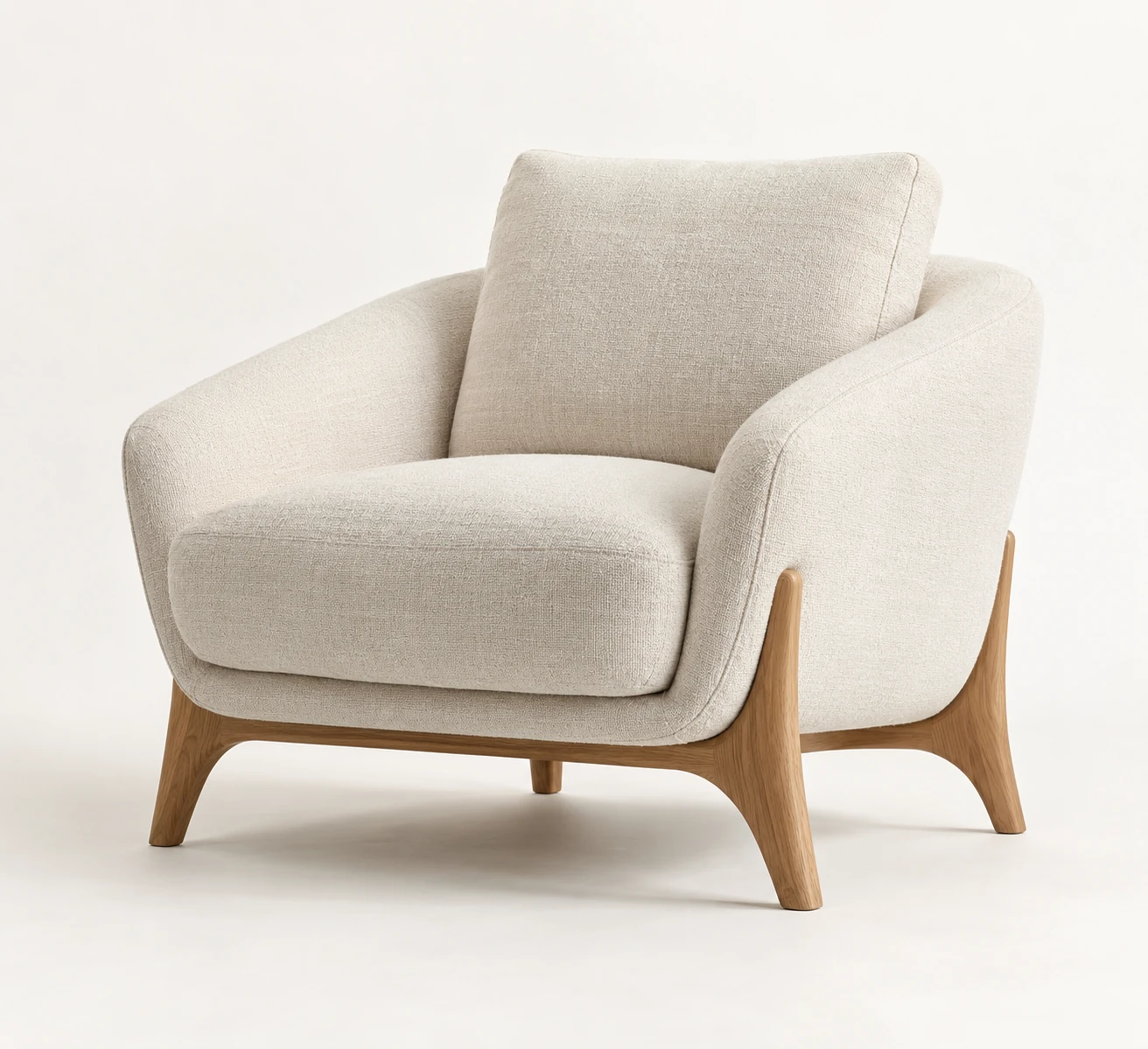
3D rendering allows furniture manufacturers to prepare product visuals before every physical sample is available. From an approved 3D model, a brand can produce product images, room scenes, detail views and material variants, then adapt the asset for animation, 360° views or interactive use where required.
Its long-term value lies in a reusable product-content system that supports launches, e-commerce, catalogues, dealer presentations and updates throughout the life of a collection.
This guide explains where CGI can help, what affects cost and production time, what manufacturers need to provide and what should be agreed before a project begins.
For a concrete starting scope, see what a furniture PDP content pack includes. If you are choosing between production methods, compare CGI and product photography before commissioning the library.
Key takeaways
- Visual-content production can run alongside manufacturing when the product information is sufficiently complete and approved.
- One approved model can support several channels and future updates, with additional preparation for some formats.
- Material and configuration variants can be visualized without photographing every physical combination.
- A controlled workflow helps a catalogue maintain consistent cameras, lighting, crops and materials.
- Interactive 3D and augmented reality can add useful context, but commercial effects need controlled testing.
- Cost and timing depend on product complexity, documentation and references, materials, deliverables and approvals.
- A representative pilot helps test the workflow before a wider catalogue rollout.
What is furniture 3D rendering?
Furniture 3D rendering creates finished images from a digital product model. Adobe describes rendering as the stage that turns a 3D scene into a two-dimensional image. The wider CGI workflow can also prepare models for interactive experiences.
The model may be built from CAD files, technical drawings, dimensions, reference photographs or a physical sample. Once geometry, visible construction and materials are approved, it can be reused in different scenes and adapted for different outputs.
Typical deliverables include:
- white-background product renders;
- front, side, three-quarter and rear views;
- close-ups of materials and construction;
- dimensions graphics;
- lifestyle and interior scenes;
- colour, finish and upholstery variants;
- product animation;
- 360° product views;
- GLB or other web-ready 3D assets;
- assets for augmented reality;
- models and materials for product configurators.
A well-managed model can therefore become the source for an entire product-content library. Each output still needs its own production and quality checks.
1. Launch products before every physical sample is ready
Photography of a finished furniture product depends on a usable physical sample. The item must be manufactured, transported, assembled, styled and photographed before those images can be published.
CGI allows a different sequence. With reliable dimensions, construction details and approved material references, a manufacturer can begin preparing sales content while production continues. This can help teams:
- present a collection to distributors;
- prepare catalogues before a trade fair;
- build product pages before stock arrives;
- collect internal or retailer feedback;
- prepare pre-order and launch materials;
- review a collection visually before every variation is manufactured.
Physical prototypes remain important for engineering, comfort, compliance and final material approval. CGI lets product development and visual-content production overlap; it does not validate the physical product. If the design changes, the model and affected images must be updated.
Our guide to creating product visuals before a prototype exists explains how to plan that earlier production stage.
2. Build a reusable content system from one approved model
A photoshoot produces a defined image set. Later requests for another angle, finish or environment may require a new setup or shoot.
An approved 3D model can support a growing range of deliverables:
| Business need | Possible CGI output |
|---|---|
| Product page | Product views, close-ups and dimensions graphics |
| Marketplace listing | Required angles and clean-background assets |
| Catalogue | Consistent views across a collection |
| Campaign | Hero image, styled environment or animation |
| Social media | Cropped stills, short motion or material transitions |
| Dealer presentation | Product views, variants and room scenes |
| Website interaction | 360° view, GLB model, AR or configurator assets |
| Future update | New colour, fabric, finish, angle or scene |
Reuse can be especially useful when a manufacturer manages many stock keeping units (SKUs), introduces finishes regularly or supplies content to several retailers.
A sofa may combine sizes, leg finishes and fabrics. A storage system may combine modules, handles, surfaces and hardware. Approved base geometry and material libraries can support those combinations without manufacturing and photographing each one.
Later, a discontinued fabric can be replaced, another marketplace angle rendered or an existing asset adapted for web use. These are additional production tasks, but they may reuse work already approved.
That efficiency depends on asset management. Clear naming, version control, approved materials and an identified master model prevent duplicated files and uncertainty about the current product specification. A furniture PDP content pack provides one way to organize the outputs for product pages.
3. Present materials and finishes accurately
An image can look realistic and still misrepresent the product.
Fabric weave, texture scale, gloss, wood-grain direction, stitching, edge profiles and colour variation all affect how furniture is understood. Incorrect materials can create misleading expectations and repeated corrections.
Reliable material development may require:
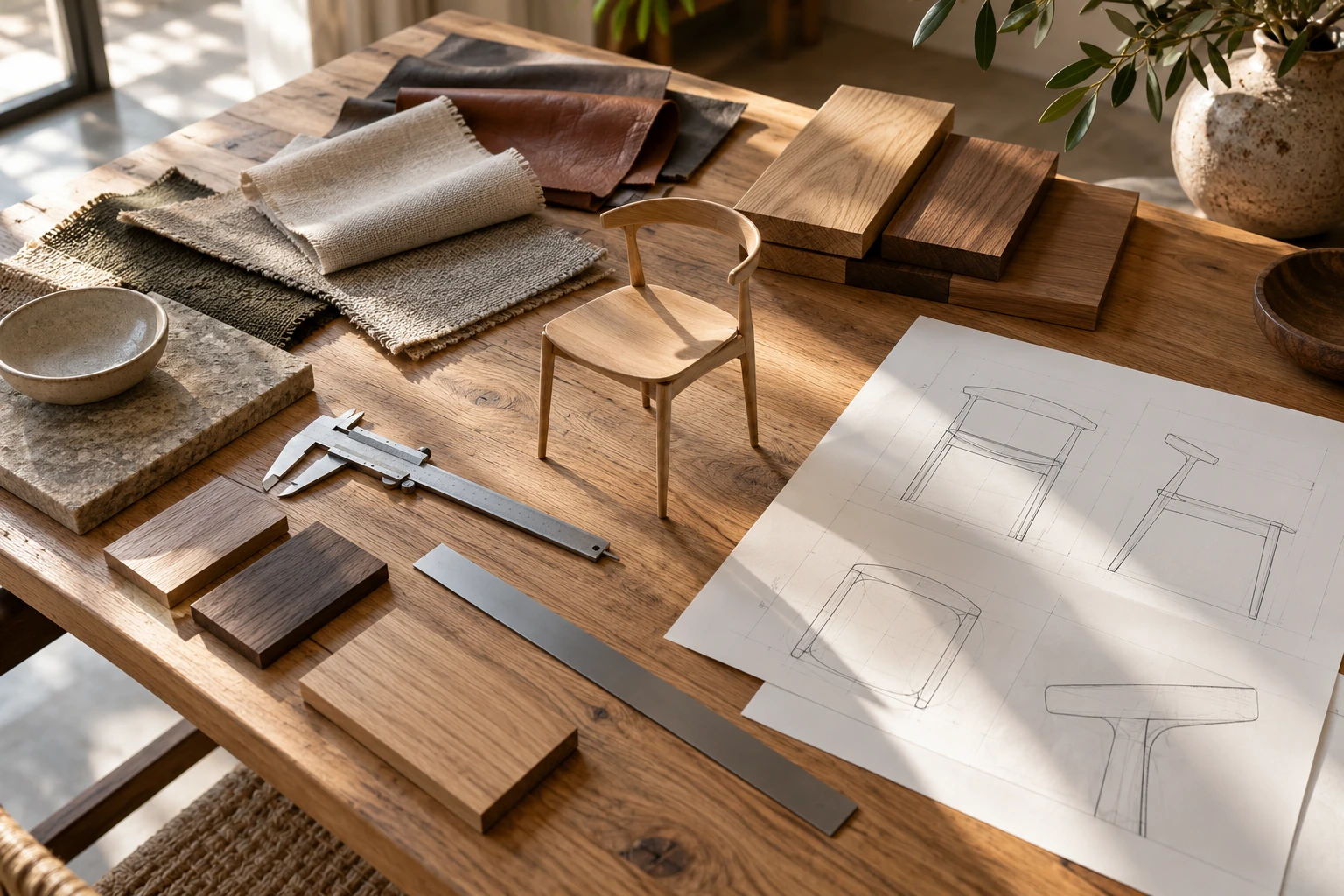
- physical swatches;
- supplier references;
- calibrated reference photographs;
- texture direction and real-world scale;
- relevant colour codes;
- information about gloss, roughness and reflectivity;
- notes about natural variation;
- comparison with a physical sample during approval.
Approve materials before producing a large batch of variants. Resolving an issue in the master finish avoids repeating it across the full image set.
This is particularly important for upholstery, natural wood, stone, brushed metal, translucent surfaces and finishes whose appearance changes under different lighting. Neither CGI nor photography can guarantee identical colour on every shopper's screen; material samples and clear descriptions remain useful.
4. Maintain a consistent catalogue at scale
Furniture catalogues often accumulate images over several years. Different teams, studios and lighting setups can lead to changing camera angles, inconsistent scale, mismatched shadows, uneven crops and differences between retailer assets and the brand's own website.
A defined CGI workflow can establish repeatable rules for:
- camera angle and focal length;
- product position and scale;
- background and shadow treatment;
- image dimensions, margins and crop;
- lighting direction;
- standard detail views;
- file naming and export structure.
New products can then follow the same framework. This matters on product listing pages, in digital catalogues and in dealer portals, where products are compared side by side.
Consistency requires active quality control. The existence of a reusable scene does not ensure that every new model uses the correct settings. See our white-background rendering requirements for the production decisions that should be standardized.
5. Reduce repeated physical production where reuse is practical
Photography remains useful. CGI offers another way to produce content when a complete physical shoot would involve substantial repeat work.
A furniture shoot may require:
- manufacturing or borrowing samples;
- transporting large products;
- booking a studio or location;
- building sets;
- sourcing props and styling;
- assembling and handling products;
- photography and crew;
- retouching;
- repeating parts of the process after a product or finish changes.
A digital product can be placed in several environments without moving a physical sample. A scene may also be adapted for different crops, markets or campaigns.
This can help when products are large, samples are limited, finishes are numerous or collections change frequently. Savings are conditional: model creation, material development, custom scenes, approvals and updates also take time and money. Compare the complete workflows for the content actually needed.
How to evaluate the return on a furniture CGI project
A useful comparison includes the full cost of samples, transport, locations, styling, photography, retouching and reshoots alongside the full cost of model preparation, materials, scenes, rendering and later updates.
Include likely reuse, such as future finishes or retailer formats, but distinguish planned reuse from work that may never be commissioned. Animation and interactive assets may require additional preparation and integration.
Useful operational and commercial measures include:
- cost per approved SKU and final deliverable;
- time from approved design to published product page;
- number of variants covered;
- proportion of content reused across channels;
- reshoots actually avoided and their documented cost;
- engagement with 3D or AR;
- conversion rate and average order value;
- product-related support questions;
- return reasons associated with size, appearance or configuration.
To assess a change in commercial performance, use a controlled test where practical. Randomly assign eligible visitors to the existing experience or the proposed gallery or interactive experience. Define the primary outcome and test duration in advance, keep other material changes controlled and report uncertainty alongside the result.
Comparing people who choose to use a 3D viewer with those who do not cannot establish the viewer's effect: the groups may already differ in purchase intent. Interaction data can describe behaviour, but it should not be presented as proof of conversion improvement. If traffic is insufficient for a reliable test, report that limitation.
6. Support e-commerce with richer product information
Furniture shoppers need to understand scale, proportion, materials and how an item might fit into a room. Static images remain essential, supported where useful by:
- 360° views for inspecting additional angles;
- close-ups of stitching, joints and surfaces;
- dimensions graphics;
- interactive 3D viewers;
- AR experiences using correctly scaled models;
- configurators showing selected materials, modules and components.
Google documents the use of merchant-provided models through the virtual_model_link attribute. Its 3D and AR guidance also describes restrictions by market, product and placement. Eligibility and support must be checked for the intended channel; supplying a model does not guarantee that every shopper will see it.
The usefulness of interactive content depends on model quality, loading speed, mobile usability and how clearly the page presents it. A slow viewer or one that obscures essential information can make shopping harder.
For preparation and delivery considerations, see how GLB models are used in e-commerce and marketplaces.
7. Improve communication between design, marketing and sales
Design may work from CAD, production from drawings, marketing from an early prototype photograph and sales from an older catalogue. Retail partners may hold another version altogether.
A managed 3D asset can provide a shared visual reference for:
- dimensions and proportions;
- visible construction details;
- materials and finishes;
- configuration logic;
- product naming;
- standard views and deliverables;
- the product's relationship to the wider collection.
A marketing model does not replace engineering or production documentation. Keep the connection to the approved specification clear, including which version the visuals represent and who approves changes.
What affects the cost of furniture 3D rendering?
Cost depends on the work required to create, approve and deliver the assets. Relevant factors include:
- availability and quality of CAD files;
- geometry and upholstery complexity;
- number of distinct materials;
- products, variants and configurations;
- studio images or custom lifestyle scenes;
- resolutions and export formats;
- animation, AR or configurator preparation;
- the agreed approval process and subsequent changes.
A rigid product with usable CAD and one finish needs a different workflow from a modular upholstered collection reconstructed from drawings and photographs. Agree the deliverables after reviewing the inputs; do not assume that every output supported by the model is included in the same scope.
How long does furniture CGI production take?
Timing depends on product complexity, available documentation, material approval and the number of deliverables. A schedule is most useful after an asset review and, for larger catalogues, a representative pilot.
Delays often occur between production stages. Common causes include:
- incomplete drawings or dimensions;
- missing construction details;
- unavailable or undefined material references;
- product changes during production;
- unclear approval responsibility;
- slow or conflicting stakeholder feedback;
- extra formats added after scope approval.
A clear brief, named decision-makers and a workable approval sequence improve predictability. Rendering time alone is not a reliable estimate of total project duration.
What furniture manufacturers need to provide
The quality of the documentation and references directly affects the result.
Product geometry
- CAD files, where available;
- technical drawings and approved dimensions;
- assembly instructions;
- reference photographs from several angles;
- details of seams, joints, fixings and edge profiles.
Materials and finishes
- physical swatches or calibrated photographs;
- supplier references;
- texture direction and scale;
- relevant colour codes;
- gloss, roughness or reflectivity information;
- notes about natural variation.
Product structure
- configurable parts and available sizes;
- modular rules and compatible combinations;
- product and variant names used in the product information management system, catalogue or sales system.
Required outputs
- image angles, resolutions and backgrounds;
- lifestyle direction and intended audience;
- required variants;
- animation or 360° requirements;
- GLB, AR or configurator needs;
- delivery channels and deadlines.
Our guide to documentation and references for an accurate furniture model explains how to prepare these inputs.
A practical furniture CGI workflow
1. Scope and asset review
Identify the products, available documentation and references, delivery channels and priority outputs. Record gaps before production begins.
2. Pilot selection
Choose products that represent the catalogue's real complexity. A rigid chair, upholstered item and modular product may test different requirements; the selection should reflect the actual range.
3. Modeling or CAD preparation
Clean and optimize suitable existing geometry, or create a model from approved drawings, dimensions and references.
4. Material development
Recreate fabrics, wood, metals and other surfaces, then review them against the supplied references.
5. Master-view approval
Approve geometry, proportions, materials, lighting and the standard camera setup before expanding production.
6. Content production
Produce the agreed views, close-ups, dimensions graphics, variants and room scenes from the approved asset.
7. Optional interactive preparation
Adapt the asset for 360°, GLB, AR or configuration where commissioned. A detailed rendering model may need optimization and different material preparation for real-time use.
8. Quality assurance and delivery
Check product accuracy, dimensions, material consistency, crops, file formats, naming and channel requirements.
9. Library maintenance
Store approved models and materials with clear version information so later products and updates can follow the same system.
What to clarify before starting a CGI project
Before production, agree:
- exact deliverables, resolutions and formats;
- naming and asset-mapping requirements;
- ownership and usage rights;
- whether source models, editable scenes or web-ready files are included;
- approval and revision arrangements;
- who approves geometry and materials;
- responsibility for dimensional and material accuracy;
- storage and retention terms;
- conditions for future updates;
- whether another team can use or modify delivered assets.
These terms depend on the agreement. Final JPG or WebP images do not automatically include an editable 3D scene. Rights to final images may also differ from rights to licensed textures, third-party models and other source assets.
Documenting these details makes future reuse easier to plan.
How to choose a CGI studio for a furniture project
Alongside the portfolio, assess whether the studio can support the product workflow. Look for:
- relevant furniture, upholstery and material experience;
- the ability to interpret CAD, dimensions and technical data;
- clear geometry, material and image approval stages;
- repeatable cameras, naming, crops and material libraries;
- appropriate preparation for future animation, GLB, AR, 360° or configurator outputs.
Ask which outputs can reuse the same master asset and which require additional work. Review a representative product rather than judging only campaign imagery.
When is photography the better option?
A content strategy may use both methods. Photography can be preferable when:
- the finished product exists and only a small image set is required;
- natural variation is central to the product;
- the campaign depends on real people or documentary authenticity;
- handmade characteristics are difficult to represent with a repeatable model;
- the brand needs manufacturing or behind-the-scenes content;
- modeling would add more work than the limited image requirement justifies.
CGI may be better suited to early launch content, numerous variants, standardized catalogue imagery and repeated reuse. Our comparison of CGI and furniture photography explores both methods and hybrid workflows.
How to start without rebuilding the whole catalogue
A controlled pilot lets the team test the production system before committing to a larger rollout.
For illustration, a pilot could cover 5–15 representative products. This is a planning example, not a recommended minimum, an industry benchmark or a guarantee of sufficient coverage. A smaller range or a complex modular catalogue may need a different selection.
The pilot can test:
- CAD and reference quality;
- material approval;
- standard product views;
- selected lifestyle scenes;
- a limited set of variants;
- an interactive format if relevant;
- delivery, naming and approval requirements.
Testing only the easiest SKU may conceal problems that appear elsewhere. Before expanding, review cost per approved product, time per stage, causes of revisions, reuse, technical performance and retailer acceptance. Review commercial outcomes only where the measurement supports a useful conclusion.
Illustrative example: preparing a collection before production
Consider a hypothetical collection of 12 products with two physical prototypes available.
The manufacturer supplies CAD files, dimensions, assembly drawings, fabric swatches, wood references and prototype photographs. The agreed production plan could give each product a master model, four product views, one detail image, one dimensions graphic and one room scene.
Selected approved materials could then be applied to additional variants. Later commissions might adapt those assets for retailer formats, social-media crops or web-ready GLB models.
This workflow could let marketing prepare content while manufacturing continues and create a starting library for future work. It is an illustrative scope, not a client case study, a measured outcome or a promise that all listed work is included in a standard offer.
Frequently asked questions
Can renders be created before furniture is manufactured?
Yes, when CAD, drawings, dimensions and material references provide enough reliable information. Changes to the design must be reflected in the model and its outputs. Physical validation remains a separate task.
Is CGI cheaper than furniture photography?
Sometimes. Reuse may reduce the cost of repeated views, variants and updates, but model and material preparation must be included in the comparison. Photography may be simpler for an available product and a limited image set.
Can one model support images, animation and AR?
Often, but each output has different requirements. Animation, GLB delivery, real-time viewing and AR may need additional preparation or optimization.
How are furniture materials reproduced accurately?
Use swatches, calibrated photographs, supplier information and physical comparisons where possible. Approve the materials before producing large batches of variants.
What is the difference between a render and a GLB model?
A render is a finished two-dimensional image. A GLB is a 3D file that can contain geometry, materials and textures for compatible interactive workflows. It requires a suitable viewer or platform.
Are CAD files required?
No. A model can also be built from drawings, dimensions and reference photographs. CAD can help, but it still needs review and may need cleanup or optimization.
Is the editable model included?
Only if the agreement includes it. Confirm the files, usage rights and future editing access before production.
How many products should a pilot include?
There is no universal number. The 5–15-product example above is illustrative. Select enough representative products to test the important geometry, materials, configurations and delivery requirements of the actual catalogue.
Planning the next step
A reusable CGI system can connect product development with launch content, catalogue maintenance and future formats. Its value depends on accurate inputs, appropriate scope, material approval, asset management and the work actually reused.
Start with a representative selection, define the required outputs and agree responsibilities before scaling. Explore our furniture 3D rendering services or send CGILighthouse your product documentation and references for review.
Put the thinking into practice.
Explore the relevant studio service, then tell us what you are planning.
Explore the service