How GLB models are used in e-commerce and marketplaces
What a web-ready 3D asset can do, what each platform expects, and what to check before delivery.
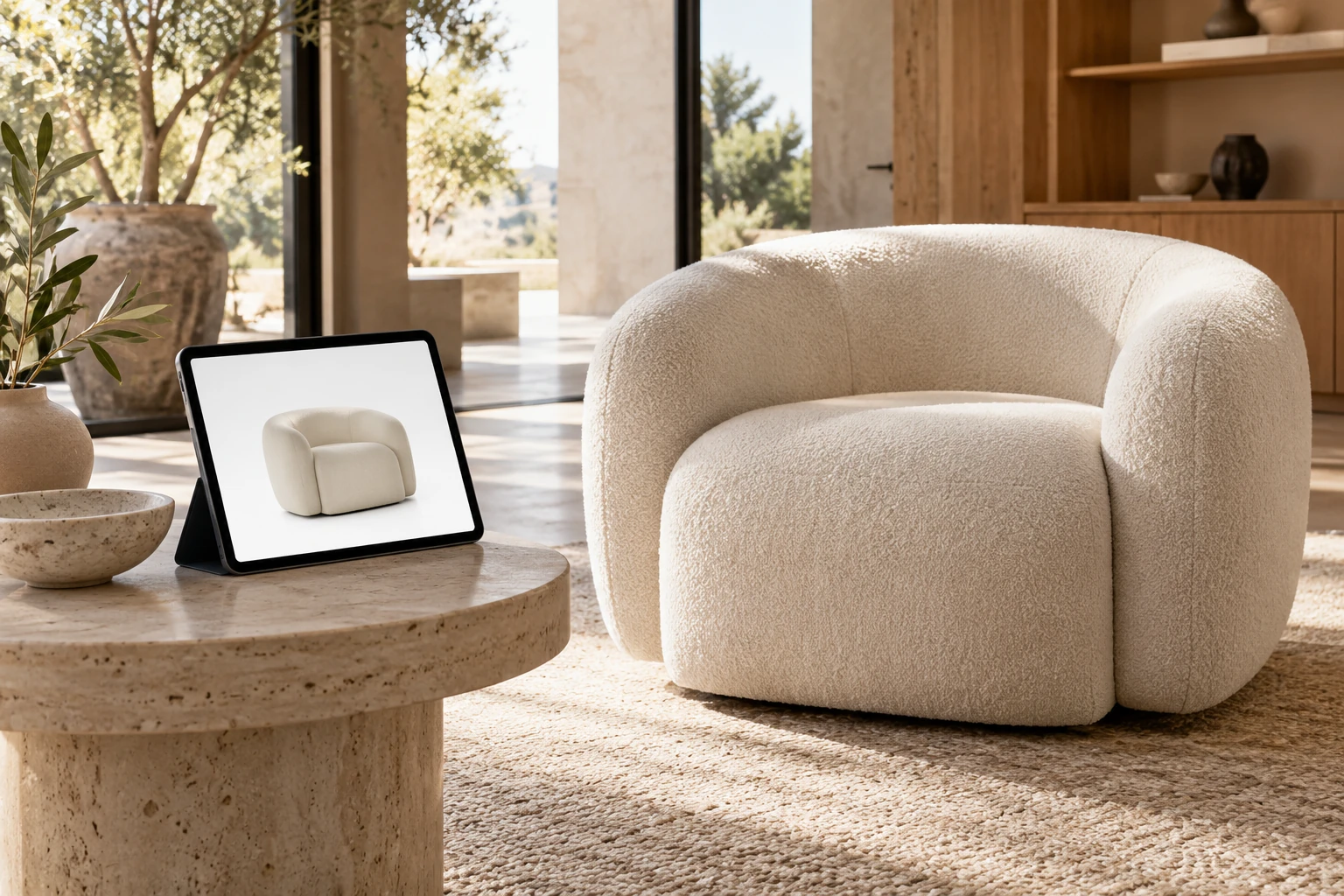
A GLB model is a binary 3D product asset that can be loaded in a web viewer, displayed on a product detail page (PDP), submitted to supported shopping platforms and used as part of some augmented reality (AR) workflows. For furniture and other physical products, it lets shoppers rotate the item, inspect it from different angles and, where the platform supports AR, view it at scale in their space.
GLB is the binary container form of glTF, the open 3D asset delivery standard maintained by the Khronos Group. A GLB file can package scene data, geometry, materials, textures and animations into a single binary file, which makes it practical for real-time delivery. Khronos describes glTF as a royalty-free format for efficient transmission and loading of 3D scenes and models.
A GLB file is not automatically ready for every store or marketplace. Platforms have different limits, validation rules and AR requirements, so delivery files should be prepared for the target channel.
A viewable 3D file is not automatically a configurator. Read how furniture configurators work for product rules, options and pricing; use the model reference guide to plan the asset itself.
Key takeaways
- GLB is a binary glTF file used to deliver interactive 3D product content efficiently.
- A GLB can support product-page 3D viewing, marketplace 3D experiences and some AR workflows.
- Shopify, Google and Amazon currently support 3D product content, but eligibility and technical requirements differ.
- A high-detail render model should not simply be exported and uploaded without real-time optimization.
- Real-world scale, geometry, PBR materials, texture size, file weight and validation all affect the customer experience.
What is a GLB file?
GLB is the binary container form of glTF. glTF is a runtime 3D asset delivery format designed to reduce the processing required to load 3D scenes and models.
A standard .gltf asset can reference separate geometry buffers and image files. A .glb can package the glTF structure, geometry and textures in one binary container, which is often easier to host, transfer and manage as a product asset. However, GLB can also reference external resources; the extension alone does not prove that every dependency is embedded. Check the exported asset before treating it as self-contained. Khronos defines .glb as the file extension for Binary glTF. See the glTF 2.0 specification.
A GLB can contain:
- product geometry;
- physically based rendering (PBR) materials;
- textures;
- scene hierarchy;
- animations where required;
- other supported glTF data and extensions.
For e-commerce, the important point is that a GLB is a delivery asset, not necessarily the original production file. The studio may build the product in a more detailed source scene and then optimize a separate GLB for real-time use.
Where are GLB models used in e-commerce?
On a brand website, the GLB is loaded through the store’s own 3D viewer. On a marketplace or shopping platform, the seller submits the model, while the platform controls validation and display.
| Channel | How the 3D asset is used | Important limitation |
|---|---|---|
| Brand e-commerce website | Interactive rotate, zoom, product inspection and custom 3D experiences | The website needs a compatible 3D viewer and optimized loading |
| Shopify product page | Native 3D product media and supported AR experiences | Theme and storefront implementation must support the media |
| Google Merchant Center / Search | 3D model supplied through virtual_model_link | Current eligibility is limited by product type and market |
| Amazon | 3D product experiences such as View in 3D and supported AR experiences | Category, brand, region and device eligibility apply |
Platform documentation checked on 19 October 2026 underpins the channel details below. Support, eligibility and technical requirements can change, so check them again before delivery. A supported format does not guarantee approval or display for every product, account, country or device.
How are GLB models used on a brand website?
On a brand-owned e-commerce site, a GLB can be loaded into an interactive 3D viewer on the product detail page.
Depending on the implementation, shoppers can rotate and zoom the product, inspect difficult-to-photograph areas, switch materials or configurations and launch supported AR experiences.
The GLB does not create these controls by itself. The website still needs a compatible viewer, and a configurator also needs interface logic and variant rules.
How does Shopify use GLB models?
Shopify supports 3D models as product media. Its documentation, checked on 19 October 2026, accepts GLB and USDZ files, and compatible themes can display 3D product content directly on product pages. Shopify documents its supported 3D product media here.
As checked on 19 October 2026, Shopify allows 3D model uploads up to 500 MB and automatically optimizes uploads larger than 15 MB. The 500 MB figure is an upload limit, and 15 MB is an optimization threshold. Neither is a recommended customer-facing performance budget. Inspect the processed asset and test the storefront experience, especially on mobile.
How does Google use GLB models?
Google Merchant Center supports a 3D model link through the virtual_model_link attribute. The current documentation accepts both .gltf and .glb files. Google documents the attribute and its model requirements here.
As checked on 19 October 2026, Google states that this feature can be used for eligible shoes and home goods sold in the United States. Google reviews submitted models before they can appear in supported Search experiences.
The same documentation recommends a model file size of 10 MB and says it should not exceed 15 MB. It also recommends validating the model before submission.
This is a good example of why a single generic “marketplace GLB” is not enough. A file that loads successfully on a brand website may still need additional optimization or validation for a specific shopping platform.
How does Amazon use 3D product models?
Amazon offers 3D product experiences such as View in 3D and View in Your Room for enabled listings. Its public seller guidance describes 3D uploads for eligible brand owners and supported categories, including home and furniture. Availability depends on the listing, account, market and device. Amazon explains its 3D and AR tools here.
Amazon’s published seller guidance identifies GLB or glTF as submission formats for eligible products. An Amazon staff post explains the upload conditions. Models are reviewed against Amazon’s quality requirements, and availability still depends on the product, region and device. See Amazon’s direct Seller Central help pages for 3D model technical requirements and uploading 3D models.
Is GLB the same as AR?
No. GLB is a 3D file format; AR is a way of displaying a 3D product in the user’s real environment.
A GLB may be one part of an AR pipeline, but AR compatibility depends on the platform and device. For example, Apple Quick Look uses USDZ for AR objects on iPhone and iPad. Apple documents USDZ support in Quick Look.
This is why a commerce project may require both:
- GLB for web or marketplace delivery;
- USDZ or a platform-generated equivalent for Apple AR experiences.
Some e-commerce platforms handle part of this conversion or delivery layer themselves, while custom websites may require separate implementation.
GLB vs 360° spin vs product images
These formats solve different problems.
| Format | What the shopper receives | Main strength | Main limitation |
|---|---|---|---|
| Static product images | Fixed approved views | Fast, predictable and easy to art-direct | Shopper cannot change the angle |
| 360° spin | Rotation from a sequence of rendered or photographed frames | Simple interactive rotation | Usually limited to a fixed axis and does not contain true 3D geometry |
| GLB model | Real-time 3D geometry and materials | Free rotation, zoom and reuse in interactive experiences | Requires optimization, a viewer and platform compatibility |
| USDZ | 3D asset commonly used for Apple AR workflows | Native Quick Look AR on Apple devices | Not a replacement for GLB across all web platforms |
A strong PDP can use more than one format. GLB does not replace the need for carefully art-directed hero images, close-ups or lifestyle content.
What makes a GLB model e-commerce-ready?
An accurate model is only the starting point. A commerce-ready GLB must also perform reliably in real time.
Accurate geometry and scale
The product should match the approved dimensions and real-world proportions. Real scale is particularly important for furniture because AR and room-placement experiences become misleading if the asset is oversized or undersized.
Optimized geometry
Offline CGI models may contain details that are too heavy for browser or mobile delivery. Optimization can include:
- removing invisible geometry;
- reducing unnecessary polygon density;
- simplifying repeated details;
- baking selected detail into textures;
- preserving silhouette and close-up quality where it matters.
The goal is the lightest asset that still represents the product convincingly at the intended viewing distance.
PBR materials
glTF 2.0 uses a standardized PBR material model, which improves portability across compatible viewers. Final appearance can still vary depending on lighting, tone mapping and extension support, so visual testing remains necessary. Materials should be simplified enough for real-time delivery while preserving the important characteristics of fabric, wood, leather, metal, glass or plastic.
Efficient textures
Large textures can make an otherwise simple model slow to load. Texture resolution should be based on what the shopper can actually see rather than automatically exporting every map at maximum resolution.
Khronos’ Asset Creation Guidelines cover geometry, materials, textures, scale and optimization for commerce-ready glTF assets. See Asset Creation Guidelines 2.0.
Correct orientation and origin
The asset should load upright, at the correct scale and around a sensible origin point. This affects rotation, placement and AR behavior.
Validation on the target platform
A technically valid GLB can still fail a marketplace requirement. The final model should therefore be checked in a glTF validator and tested in the actual target viewer or submission process.
How large should a GLB file be?
There is no universal ideal file size.
The target depends on the product, viewer, network conditions and platform rules. Google’s documentation, checked on 19 October 2026, recommends 10 MB and specifies that the model should not exceed 15 MB for its Merchant Center 3D model link, while Shopify accepts much larger uploads and automatically optimizes files above 15 MB. Platform acceptance is therefore not the same as good customer-facing performance.
For a brand website, set a performance budget around the intended devices, network conditions and viewing experience. Test loading on a typical mobile connection as well as a desktop workstation, and inspect rotation, zoom and material quality after loading. File size alone cannot establish that the viewer will run smoothly.
Can one GLB be used on every channel?
Sometimes, but it should not be assumed.
A better structure is:
one approved master asset → platform-specific delivery versions
The master model preserves the best available geometry, material information and product structure. From that master, the studio can create:
- a lightweight website GLB;
- a GLB prepared for Google’s requirements and review;
- an Amazon submission version;
- a USDZ version where required;
- a higher-detail source that may be adapted for later renders or animation.
This retains the master’s detail while allowing delivery versions to address each channel’s limits. Later platform changes may still require new exports or further optimization.
How is a GLB product model created?
A typical workflow is:
- Define the channels. Confirm where the model will be used and check current platform requirements.
- Prepare the product model. Build or clean the geometry from computer-aided design (CAD) files, drawings, dimensions and reference photos.
- Approve materials. Reproduce the required fabrics, woods, metals and other finishes.
- Optimize for real time. Reduce unnecessary geometry and texture weight while preserving the product’s visible character.
- Export and validate. Create the GLB and check scale, orientation, materials and technical errors.
- Test each delivery channel. Confirm loading, interaction and platform approval before rolling the asset out across the catalog.
GLB delivery should be planned early enough to account for real-time geometry, material and platform requirements.
Example: using one furniture model across e-commerce channels
A furniture brand has an approved 3D model of an upholstered lounge chair.
The approved chair geometry is used for four white-background images, one close-up, a dimensions image and a lifestyle render, then optimized into a lightweight GLB for the brand’s product page.
A separate delivery version can be validated for a supported marketplace, while an additional USDZ may be prepared for an Apple-specific AR workflow. New fabric colors can reuse the approved geometry rather than requiring a new model from the beginning.
When is a GLB model not necessary?
Not every product needs interactive 3D.
A GLB may add limited value when:
- the product is extremely simple and already clear from a few images;
- the store does not have a compatible 3D viewer;
- mobile performance would suffer because the asset cannot be optimized enough;
- the product changes so frequently that maintaining the model is inefficient;
- the marketplace or target country does not support the intended 3D experience;
- the model cannot be made accurate enough to represent the real product reliably.
In these cases, strong product images, close-ups, dimensions and lifestyle scenes may provide a better return for the available content budget.
Frequently asked questions
What is the difference between GLB and glTF?
Both use the glTF standard. A .gltf asset may reference separate files, while a .glb is the binary container version that can package the asset into one file.
Can customers open a GLB directly on a product page?
Only if the website or e-commerce platform has a compatible 3D viewer. The GLB is the asset; the viewer provides the interaction.
Can a GLB be used for AR?
Yes in some workflows, but GLB alone does not guarantee AR support. Platform and device requirements still apply, and Apple Quick Look uses USDZ.
Does every product color need a separate GLB?
Not always. A custom configurator may reuse one model with different material options, while marketplaces may require separate approved assets for individual product variants. The correct structure depends on the target platform and catalog setup.
Can the same model be used for renders and GLB?
Often, yes, but the render master normally needs optimization before real-time delivery. Keeping a high-quality master and exporting dedicated delivery versions is usually the safest approach.
Conclusion
GLB gives e-commerce brands a practical way to deliver accurate interactive 3D product content on websites and supported marketplaces. Its value comes from product accuracy, real-time optimization and platform-specific preparation—not simply from exporting a 3D file.
Planning GLB or interactive 3D content for a furniture catalog? Explore our 3D modeling services or send us one representative product to review the required platform-specific deliverables.
Sources
- Khronos: glTF — Runtime 3D Asset Delivery
- Khronos: glTF 2.0 specification
- Khronos: Asset Creation Guidelines 2.0
- Shopify: Product media types
- Google Merchant Center: 3D model link — virtual_model_link
- Amazon: 3D models and augmented reality
- Amazon staff guidance: Uploading 3D models
- Amazon Seller Central: 3D model technical requirements
- Amazon Seller Central: Upload 3D models
- Apple Developer: Quick Look Gallery
Put the thinking into practice.
Explore the relevant studio service, then tell us what you are planning.
Explore the service