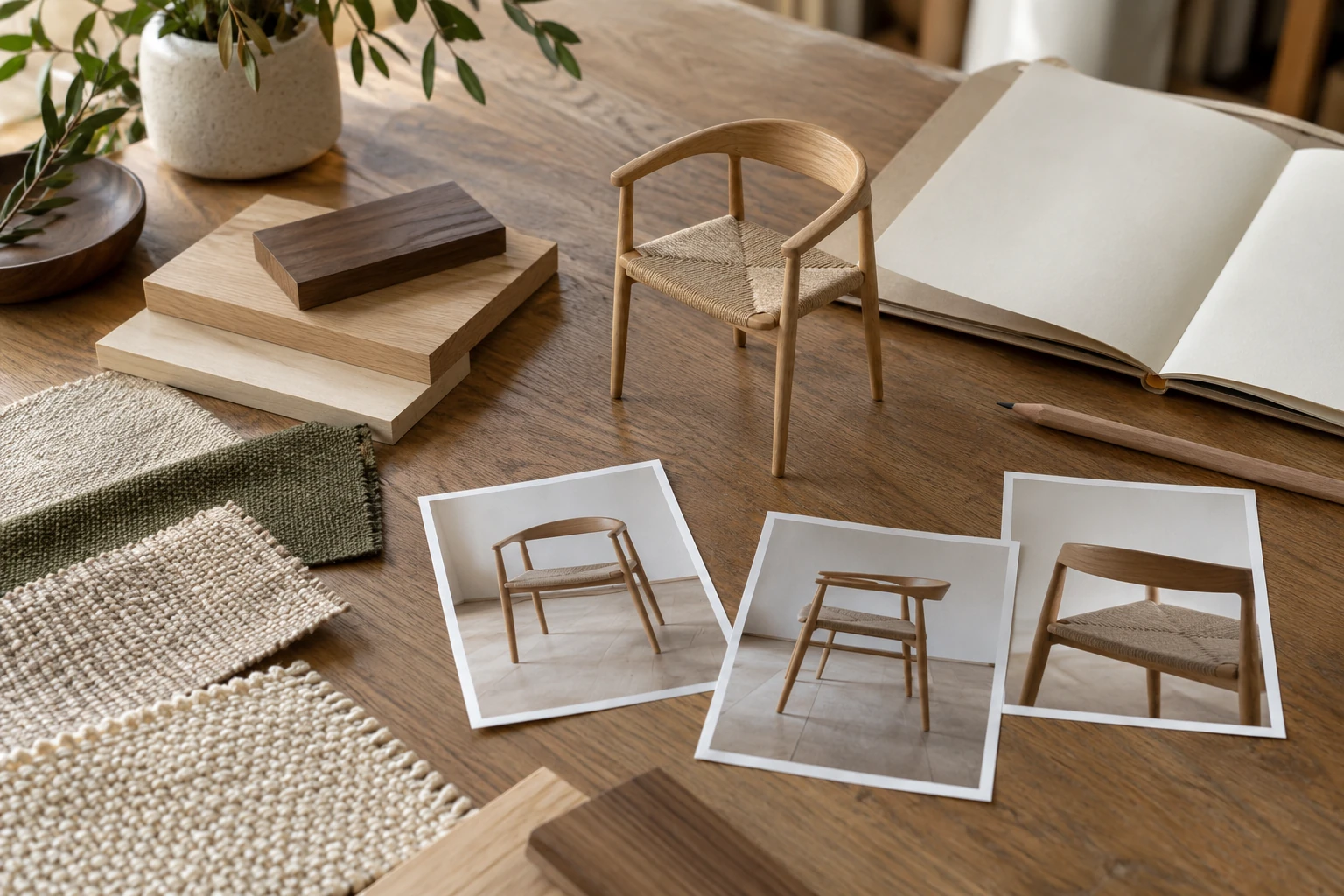
How to create product visuals before a physical prototype exists
A workflow for showing an unfinished product responsibly, without turning provisional details into promises.

Product visuals can be created before a physical prototype exists if the product is defined well enough in drawings, computer-aided design (CAD) files, dimensions and material references. Using computer-generated imagery (CGI), a visualization team can turn that information into product images, lifestyle scenes, close-ups, variants and selected interactive assets while engineering and production preparation continue in parallel.
The important limitation is that visual certainty should never exceed product certainty. If dimensions, construction or finishes are still changing, clearly identify the visuals as design-stage representations and disclose the relevant provisional details wherever the images are used. Do this from the first presentation or publication, not only when a physical sample arrives. High-fidelity marketing CGI is most efficient once the product geometry and visible finishes are stable enough for approval.
This workflow can help product brands prepare launch materials, retailer presentations, investor decks and e-commerce content earlier, but CGI does not replace engineering validation or a physical prototype where one is required.
The foundation is a clear distinction between approved and provisional information. Use the model input guide and reference submission workflow to record that distinction before production.
Key takeaways
- A physical prototype is not required to begin creating product visuals if reliable product data already exists.
- The level of visual detail should match the maturity of the product design.
- Geometry and visible finishes should be approved before expensive final marketing CGI is produced.
- Engineering files and marketing CGI should stay tied to the same product revision while remaining separate deliverables.
- Publication can precede a physical sample when the imagery is suitable for its intended use and provisional details are clearly disclosed; validate against a sample when one becomes available.
How ready is your product for CGI?
| Current starting point | What can be created now | What is still needed |
|---|---|---|
| Sketch or early concept only | Concept visuals for internal review, presentations and early investor discussions | Approved dimensions and engineering definition before final product-accurate e-commerce imagery |
| Dimensioned drawings but no usable CAD | A visualization model built from drawings and initial geometry-review images | Any missing dimensions, sections, construction details and material references |
| Current engineering CAD with stable geometry and approved visible finishes | White-background renders, lifestyle CGI, close-ups and variants | CAD preparation and output-specific work for animation, GLB or augmented reality (AR) |
Can product visuals really be created before a prototype exists?
Yes. Digital product development already relies on virtual models before manufacturing. Autodesk describes digital and physical prototypes as complementary tools for validating designs before production. See Autodesk’s rapid prototyping overview and product development stages.
Marketing visualization uses the same early product information for a different purpose. An engineering model defines how the product is built; a marketing model is prepared to show how the approved product should look in customer-facing content. They may share geometry, but a polished render should not be treated as manufacturing documentation.
What visuals can be created before a physical prototype exists?
The right deliverables depend on how mature the product is and what decision the visuals need to support.
| Visual | Useful before a prototype? | Best use |
|---|---|---|
| Draft 3D views | Yes, even at an early stage | Internal design and proportion review |
| White-background renders | Yes, once geometry and visible finishes are approved | Product detail pages (PDPs), catalogs, retailer listings and sales presentations |
| Close-ups | Yes, if visible construction details are defined | Materials, joints, hardware and feature explanation |
| Lifestyle CGI | Yes, after geometry and finishes are approved | Launch pages, campaigns and presentations |
| Color or material variants | Yes, when the variant rules are known | Catalogs and customizable products |
| Exploded views | Yes, with reliable component structure | Construction and feature communication |
| Product animation | Yes, if movement or assembly logic is defined | Mechanism, transformation and launch content |
| GLB or AR-ready asset | Often, with additional optimization | Interactive web and supported AR workflows |
A visual should only show a feature as final when the source information behind that feature is approved.
What source materials are needed?
The stronger the source package, the more confidently the CGI can represent the future product.
If a current CAD model exists, provide the current revision, approved dimensions, visible construction information, product references, material and finish references, and unresolved areas. Without usable CAD, dimensioned drawings, sections, elevations and reliable references can be used to build the model. Drawings should state the measurement units and include at least one verified reference dimension. Sketch-only projects should be treated as concept visualization, not final product-accurate imagery.
How accurate can CGI be before a physical sample exists?
Accuracy depends on the inputs. A CGI model can be dimensionally accurate before a prototype exists when geometry and dimensions are approved, while materials can be represented closely when supported by reliable samples, supplier specifications, finish codes or controlled reference photographs.
Approved digital dimensions do not establish that the manufactured product will match them. Some details are harder to predict without a finished sample. Examples include:
- the exact softness and wrinkles of upholstered components;
- natural wood, stone or leather variation;
- final gaps caused by manufacturing tolerances;
- fabric tension around seams and corners;
- subtle coating, gloss or texture behavior;
- how a mechanism moves under real load.
A render can be visually convincing and still be wrong. Details that cannot yet be verified should remain subject to later validation, and product accuracy should be approved separately from art direction.
What is the best workflow before the prototype is ready?
The safest workflow is staged so that expensive work is added only after the underlying product information is stable.
1. Define the purpose of the visuals
Decide whether the immediate goal is:
- internal design approval;
- retailer or distributor presentation;
- investor or sales material;
- pre-launch marketing;
- e-commerce production;
- an animation or interactive asset.
A draft for internal review should not require the same level of finish as a launch hero image.
2. Record and lock the CGI working revision
Before modeling or updating the CGI asset, record the exact product revision on which the visuals will be based.
Autodesk’s version-control guidance emphasizes tracking changes and maintaining meaningful design versions during product development. See Autodesk’s guidance on version control in Fusion.
The CGI brief should reference the same revision used by the product team.
3. Build or prepare the 3D model
The studio either imports the supplied CAD or builds the product from drawings and dimensions.
Engineering geometry may require cleanup for visualization. Small technical features that do not affect appearance may be simplified, while visible details such as seams, edge radii, hardware and upholstery may need additional modeling. Depending on the source format and export quality, preparation may also include surface repair and tessellation into a suitable polygon mesh.
4. Approve geometry before final look development
Review proportions, component positions, thicknesses, visible construction and required product states. This is the main approval gate: changing core geometry after materials, environments or animation have been produced can multiply revision work.
5. Approve materials and finishes
Once geometry is stable, confirm the material-to-component mapping, colors, gloss levels, texture scale, grain direction and other visible finish properties.
Provide color references such as Pantone, RAL or NCS codes, supplier product and finish codes, physical swatches when color accuracy is critical, and controlled photographs or scanned texture references with real-world scale and direction. Color codes provide a reference point, but gloss, texture, substrate and surface variation should be approved separately. Where available, provide prepared physically based rendering (PBR) texture maps.
If a material is still undecided, label it as provisional in reviews and any customer-facing use. Approval of a visual treatment should not imply that an unresolved production finish has been verified.
High-fidelity marketing CGI makes the most sense once geometry, visible components, dimensions and major finishes are stable enough that major visual rework is unlikely. KeyShot gives similar guidance for stakeholder visualization. See KeyShot’s stakeholder visualization guidance.
6. Produce the required visual set
After geometry and finishes are approved, the CGI team can create the final product views, lifestyle scenes, close-ups and variants.
Animation may require rigging or motion setup. GLB and AR should be scoped as separate real-time deliverables because they may require geometry simplification, texture baking and compression, real-world scale setup and platform-specific validation. Khronos’ real-time asset creation guidelines provide guidance on preparing these assets.
7. Validate the CGI when a physical sample becomes available
Once a prototype or production sample becomes available, compare it with the approved CGI model. Check visible geometry, seams, gaps, material behavior, finish color, gloss, texture scale and moving components. Record which details the sample confirms and which remain unresolved.
If meaningful differences are found, update the approved CGI model and every affected asset, including images, animations, interactive files and retailer deliverables. Replace or correct affected material that has already been published, and carry the corrected revision into subsequent deliveries.
This validation step does not mean every publication must wait for a prototype. Earlier use can be appropriate when the product definition supports the intended purpose and provisional details have been clearly disclosed from the outset.
How should design changes be managed?
Assume that changes will happen. Keep the engineering source and marketing derivative connected by a clear revision number, for example R04 → R04-approved → R04-marketing-v1.
If engineering moves to R05, check every dependent asset, including the hero image, close-ups, dimension graphics, variants, animation, GLB assets and retailer files. Update the outputs affected by the change, and keep a record of which revision was delivered or published.
What can pre-prototype visuals be used for?
Pre-prototype CGI can support e-commerce, launch campaigns, retailer and distributor presentations, investor decks, sales material and internal design review before photography is possible. KeyShot describes a HiViz Lighting workflow in which marketing materials were generated from CAD before finished physical products were available. This is a vendor-published example, not a universal performance claim. See the HiViz Lighting example.
Manufacturing communication: CGI can help explain visible design intent, but manufacturers should work from approved engineering documentation for dimensions, tolerances and production requirements. Marketing renders should never become the authoritative manufacturing file.
What affects cost and timeline?
The biggest factor is how complete and stable the product information is, not whether a physical prototype exists.
Cost and schedule are affected by:
- whether usable CAD exists;
- how much geometry must be created or cleaned;
- the number of unresolved product details;
- upholstery or other soft-product complexity;
- material-development requirements;
- number of final views and variants;
- lifestyle environment complexity;
- animation or interactive outputs;
- number of revision rounds;
- how quickly geometry and materials are approved.
A stable CAD model with approved finishes moves into final visualization more efficiently than a concept whose dimensions, components and materials keep changing. A reliable quote should therefore be based on the current source package and required deliverables.
Hypothetical example: launching an adjustable desk lamp before samples arrive
Imagine a lighting brand that needs product content before its first production sample is available. It has development CAD, approved dimensions, mechanism drawings, hardware specifications, finish references and two planned color variants. This is an illustrative workflow, not a client case study or a measured commercial result.
The project starts with geometry-review images. After body proportions, joint positions and the intended lamp-head movement are approved for visualization, the team produces white-background views, detail images, two finish variants, one lifestyle scene and a short mechanism animation. Any unconfirmed finish or movement detail is identified as provisional wherever the corresponding visuals are used; the animation does not establish real-world mechanical performance.
If engineering later changes the hinge, the team updates every affected CGI asset from the new revision. If the change happens before launch, the updated assets go into the launch set. If content is already live, the affected published material also needs correction. When the sample arrives, the team compares it with the CGI and updates any further differences.
Frequently asked questions
Do I need CAD to create product visuals before a prototype exists?
No. Dimensioned drawings and reliable product references can also be used. Sketches alone are usually suitable for concept visualization rather than final product-accurate imagery.
Can CGI be used for pre-orders before the prototype is finished?
It can, provided the imagery and product information accurately communicate the product’s development status and clearly disclose provisional details before a customer orders. The seller must also check the applicable consumer, advertising and platform requirements; a polished render alone is not a basis for confirming that a product is ready for sale.
What happens if the design changes after the renders are finished?
Update the model and every affected output to the new approved revision. Rework depends on what changed.
Can the same model later be used for animation or GLB?
Often, yes. Animation may need rigging, while GLB requires real-time optimization and platform-specific validation.
Does CGI eliminate the need for a physical prototype?
No. CGI can support visualization and communication, but it does not validate tolerances, ergonomics, durability, mechanical performance or other physical properties.
Conclusion
Product visuals can be created before a prototype exists when geometry, dimensions and finish information are reliable enough for the intended use. The safest workflow increases fidelity gradually and keeps every marketing asset tied to an approved product revision.
Planning launch visuals before physical samples are ready? Explore our 3D product rendering services or send us the available product files and required deliverables for scope review.
Sources
- Autodesk: Rapid prototyping software for product development
- Autodesk Fusion: What Are the Stages of Product Development?
- Autodesk Fusion: Mastering Version Control
- KeyShot: Managing stakeholders during the product design process
- KeyShot: Product imagery before finished physical products are available
- Khronos Group: Real-time Asset Creation Guidelines 2.0
Put the thinking into practice.
Explore the relevant studio service, then tell us what you are planning.
Explore the service